AI document operations for contractors
Change orders, RFIs, submittals, insurance certificates and inspection reports — read by AI the moment they arrive, filed in the right place, routed for approval, and turned into tasks with due dates.
Built on the same platform as ProjectOnUs · Free plan for up to 3 users
- Filed in Change Orders, tagged #change-order
- Sent to the project manager for approval
- Tasks created: price review, schedule update
- Due dates taken from the document
- Every step in the document’s history
- Ready for the change order log
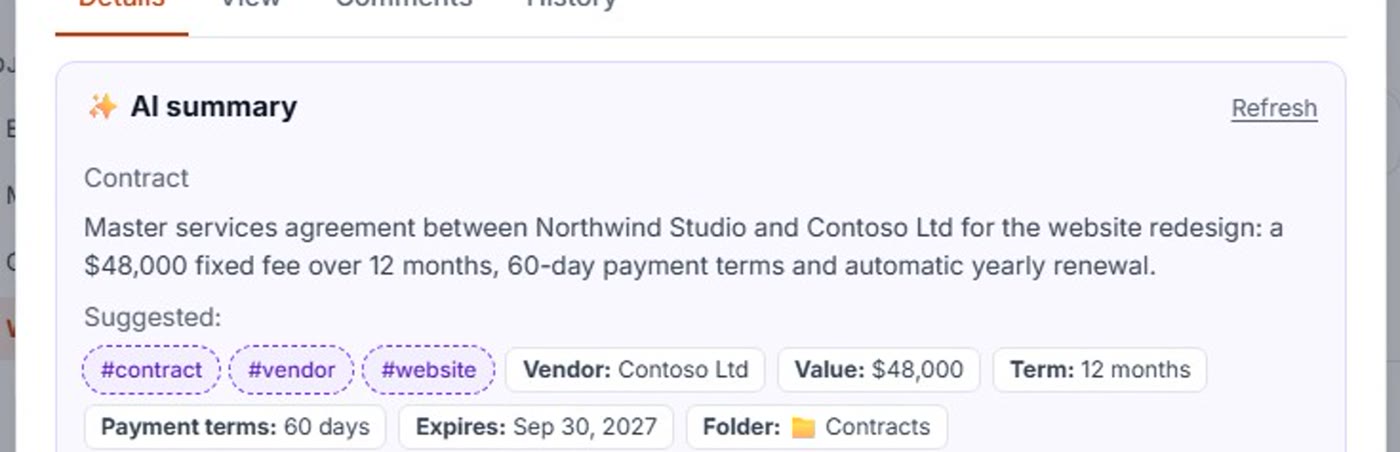
Recognizes your documents and pulls out what matters
Upload a PDF, Word file, spreadsheet or a scan from the site — AI identifies the document and extracts the fields your team needs.
Change orders
Number, amount, schedule impact, spec section, who requested it and when a response is due.
RFIs
The question, drawing or spec reference, who asked, and the response due date.
Submittals
Spec section, item, subcontractor and review status.
Insurance certificates
Insured party, coverage and expiry date — with a reminder before it lapses.
Inspection & safety reports
Findings, deficiencies, corrective actions and deadlines.
Invoices & pay applications
Amount, period, reference number and due date — searchable across every project.
Turn them on in one click
Start from these templates and adjust them in plain language — no setup project needed.
Change order → approval + tasks
File it, tag it, send it to the PM for approval, and let AI create the follow-up tasks.
RFI → file + response tasks
Every RFI filed and tagged, with response tasks and due dates, and the PM notified.
Insurance certificate → expiry watch
Certificates filed under Insurance, tagged, and flagged before coverage expires.
From pay app to lien waiver, nothing slips
Every project gets a Workflow tab: documents by stage, logs that keep themselves, subcontractor compliance and the deadlines buried in the fine print.
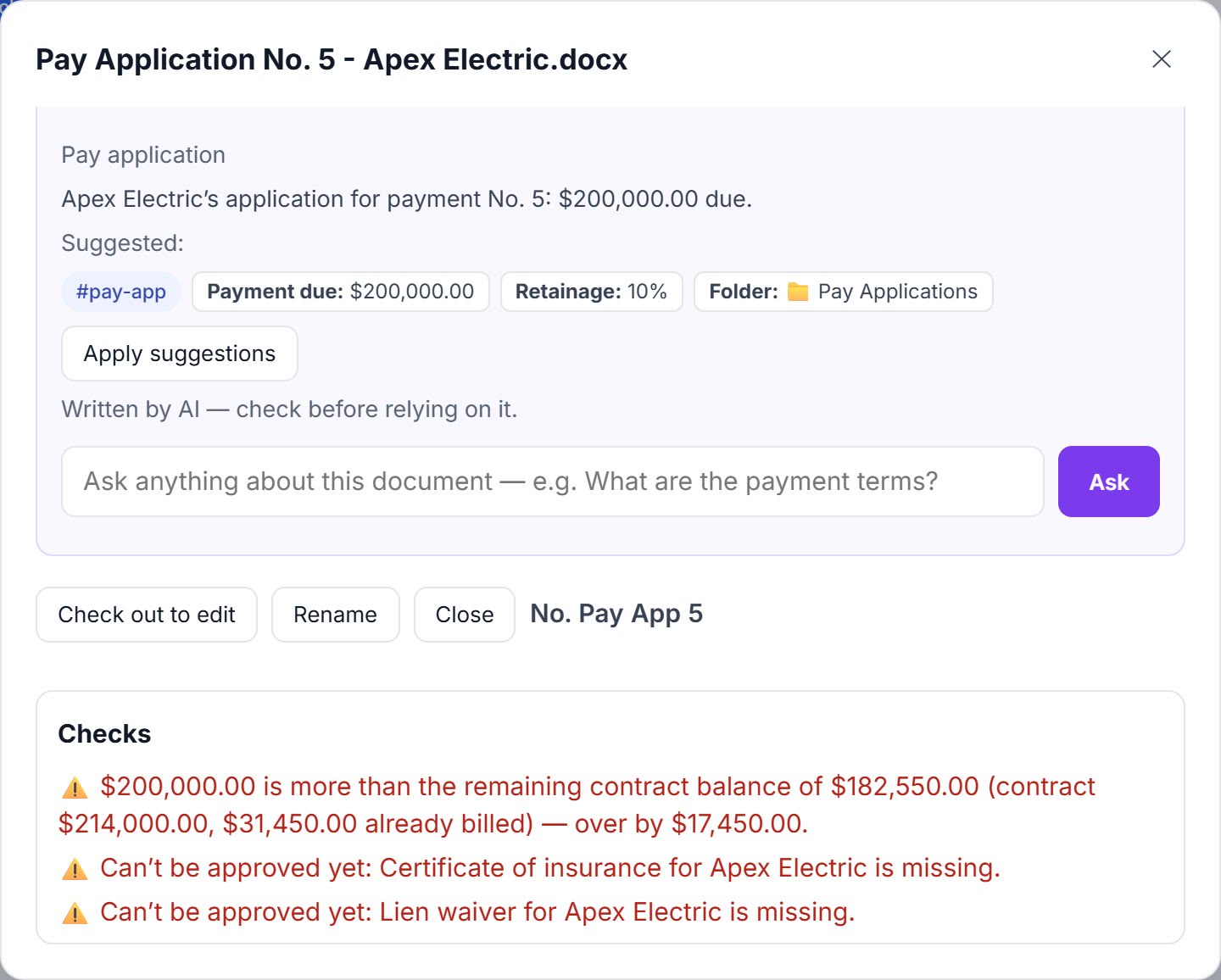
Checked against the contract before anyone signs
Each pay application is compared with the subcontract sum, approved change orders and what’s already been billed. Over the balance? It’s flagged. Lien waiver doesn’t match? Flagged too.
- Remaining contract balance, automatically
- Lien waiver amount vs. pay application
- No approval while the sub’s insurance certificate is missing or expired
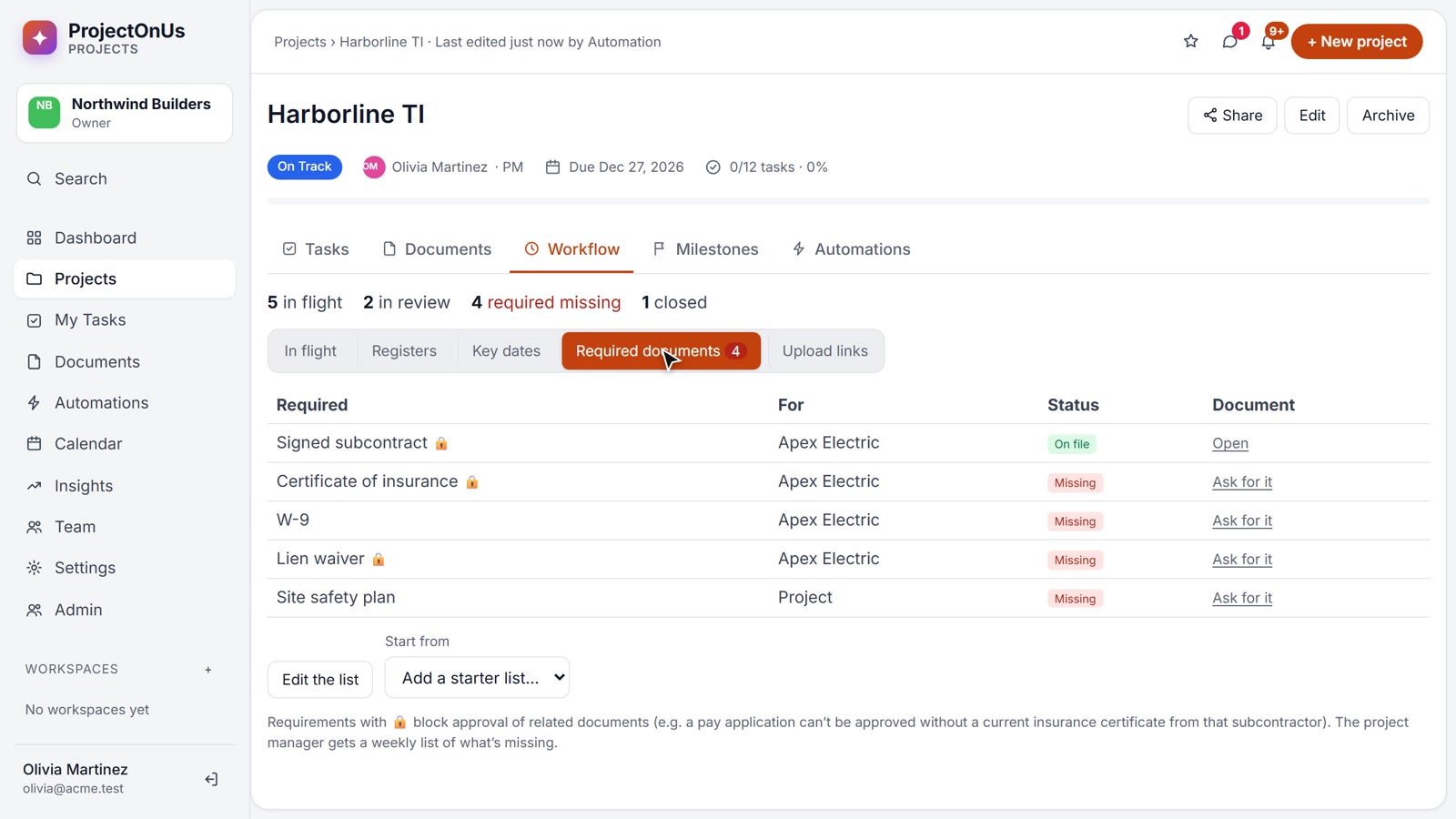
Required documents per sub — and a link to collect them
Subcontract, certificate of insurance, W-9, lien waivers, site safety plan: see what’s on file for each subcontractor. Missing one? Send an upload link — they upload without an account, and it’s filed and checked on arrival.
- Starter list for construction, editable per project
- Weekly list of what’s missing to the project manager
- Renewals before certificates lapse
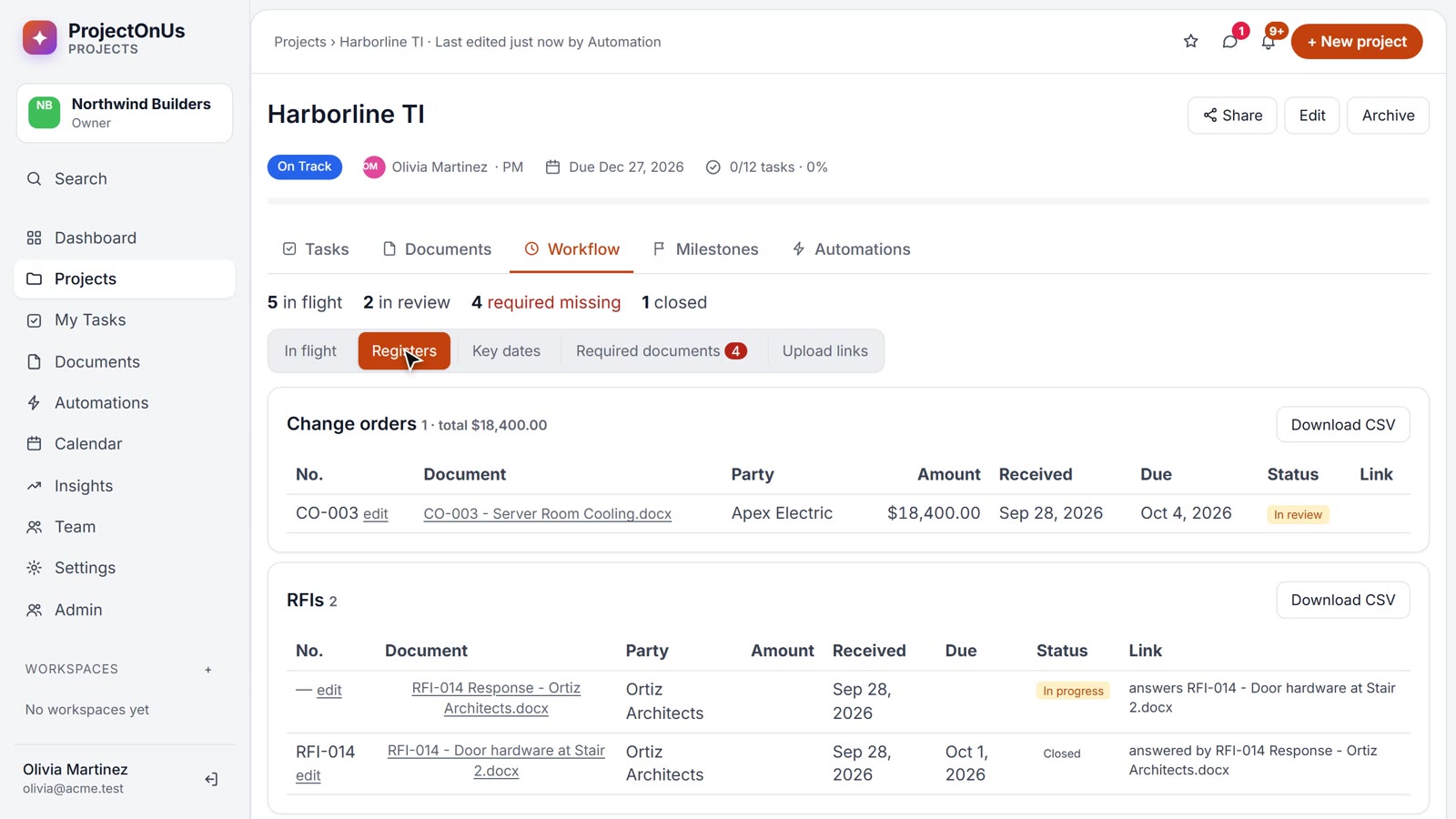
CO, RFI and pay app logs without the spreadsheet
Numbered, totalled and linked as documents arrive — RFI answers are matched to their RFIs and close them. Download any log for Excel.
- Change orders, RFIs, submittals, pay applications, lien waivers, notices, contracts
- Duplicate numbers flagged
- Key dates — response due, notice deadlines, payment due — with reminders
The logs and updates you build by hand today
AI Studio’s construction pack builds them from your documents — as Word files and slide decks you can edit before sending.
- Change order log with cost and schedule totals
- RFI log — open, overdue and blocking items
- Submittal review by spec section
- Inspection & safety report with corrective actions
- Owner progress update deck
“What’s still open on Level 3?”
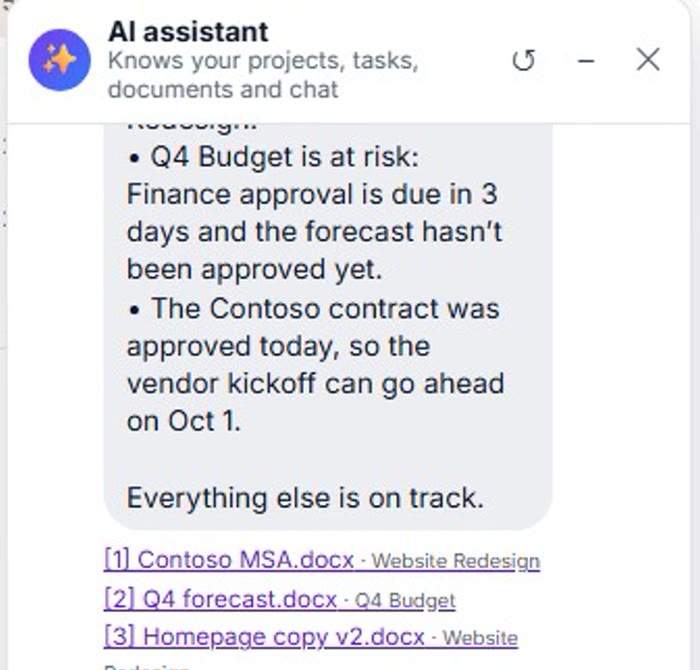
Ask a single document, a whole project or the AI assistant — answers come from your own RFIs, change orders and reports, with sources.
Less paperwork. More building.
Start your free 14-day trial: sign in with Google or Microsoft, name your company, pick Construction — and try the sample project in one click.